Digital receipts in the workshop: QR code, email or paper?
A practical guide to handing over receipts at pickup, keeping payments traceable and avoiding avoidable admin after the customer leaves.
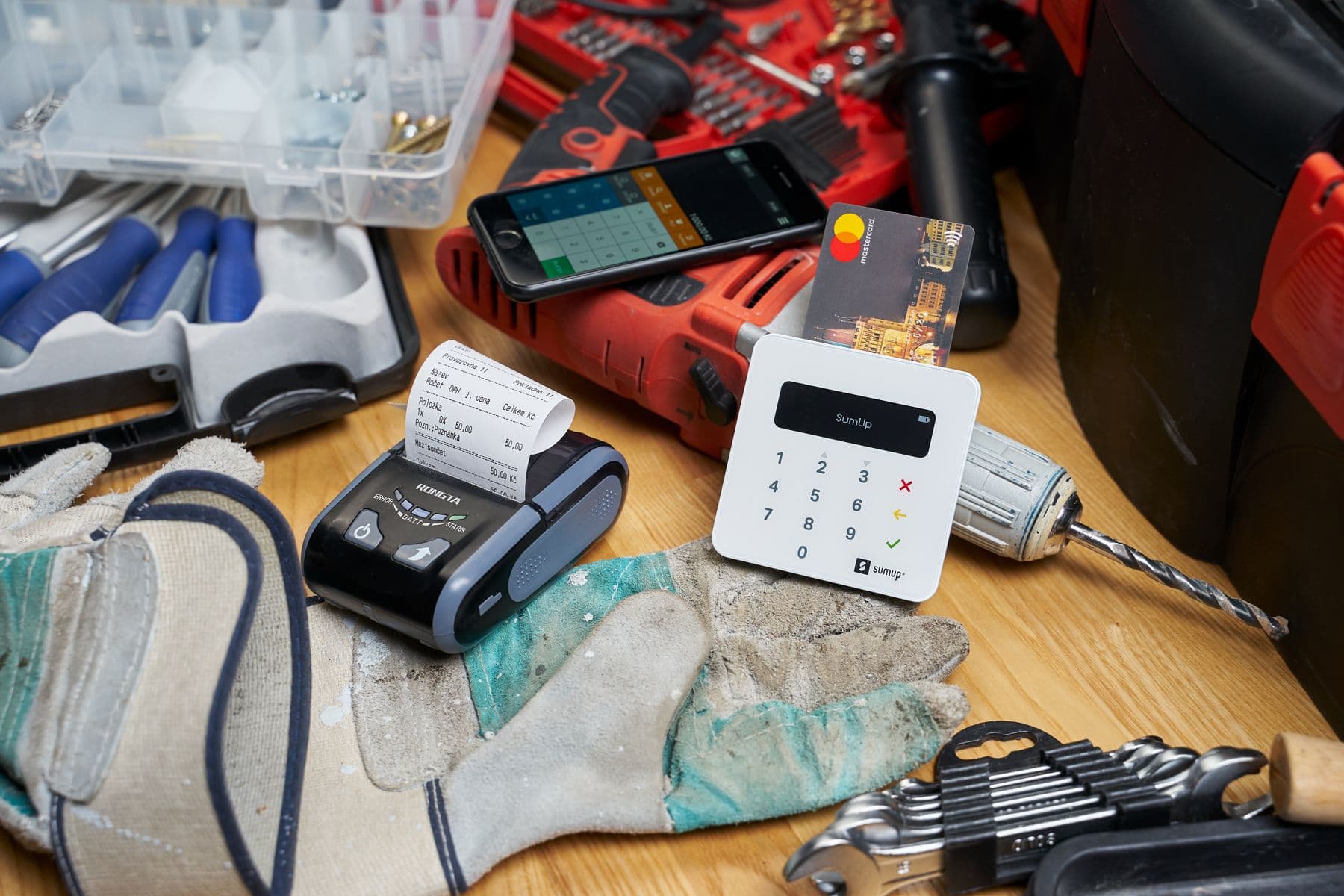
The receipt often feels like the final detail after a repair or parts sale. In reality, it is part of the handover: the customer needs proof, the payment needs to be recorded, and the team needs to know whether the job is truly finished.
Digital receipts will not replace good accounting or country-specific tax compliance. They can, however, make the pickup moment cleaner: less paper by default, easier follow-up when a customer loses the receipt, and a more consistent process at the counter.
The receipt is part of the closing workflow
A reliable closing process connects four areas:
| Step | Operational question | Common risk |
|---|---|---|
| Payment | Was cash, card, transfer or online payment recorded correctly? | The job still appears unpaid |
| Receipt | Did the customer receive usable proof of payment? | Follow-up calls and manual searching |
| Work order | Is the repair or sale actually closed? | Stock or job status remains unclear |
| Communication | Does the customer understand what was paid and what remains open? | Disputes around extras or partial pickups |
The problem usually appears later: a customer cannot find the paper receipt, a warranty case needs proof, or the team has to search across the POS, invoice and work order history.
Use paper, QR code and email deliberately
There is no single best delivery method. The best setup is a clear default plus an easy alternative.
| Method | Best for | Watch out for |
|---|---|---|
| Paper | Customers without smartphones, quick cash sales, people who explicitly need a printout | Printer reliability, roll stock and legibility |
| QR code | Counter pickup, fast checkout, smartphone-friendly customers | Show the code clearly and offer paper when needed |
| Business customers, warranty records, invoices and later reference | Confirm the address and do not treat it as marketing consent |
What European workshops should keep in mind
Germany has receipt-issuance rules for electronic recording systems, while Austria uses receipt and cash-register obligations in its fiscal framework. The operational takeaway is simple: the receipt process must be reliable, and the customer must actually be able to receive the receipt.
For day-to-day work, that means:
- Delivery matters: A digital receipt only helps if the customer scans it, receives it or can get it again later.
- Corrections should stay visible: If a sale is cancelled, the receipt status should remain understandable.
- Payment types should be separated: Cash, card, vouchers, bank transfer and online payments need distinct handling.
- Do not hide marketing consent: An email address for a receipt is not permission to send newsletters.
- Make receipts searchable internally: Staff should be able to find a receipt by number, customer, order or payment.
Pickup is the ideal moment to standardise receipts
The best place to improve receipt handling is the repair pickup flow.
If the customer takes only part of an order, or if follow-up work remains open, the receipt should not create the impression that everything is finished. Add a short internal note: what was handed over, what remains, and who will contact the customer next.
Privacy and customer expectations
Digital receipts should be convenient without collecting more data than needed. A QR-code receipt page should avoid unnecessary personal details. Email receipts should go only to the correct address. If a receipt is available through a public link, the token should be long and unpredictable.
Customers also expect choice. Some want no paper at all. Others need a printed copy for expenses, warranty or habit. A good counter process supports both without making the staff improvise each time.
Where SimpliServ fits
In SimpliServ, digital POS receipts can be shared by QR code or email. The public receipt link shows the receipt PDF, and cancelled receipts remain visibly marked. Combined with orders, payments and POS records, this helps the receipt stay connected to the actual workshop transaction.
The tool is only half the story. The important step is to define your rule: when QR is the default, when paper is printed and when email is the better option.
Common mistakes
Keeping paper as the only habit: Paper is still useful, but a digital default reduces later searching and paper handling.
Separating the receipt from the work order: A receipt may be created while the job status still says open.
Sending to unverified emails: One typo can send the receipt nowhere — or to the wrong person.
No repeat-delivery process: Staff should know how to show, print or resend a receipt later.
Conclusion
Digital receipts are not about replacing every paper slip. They are about making the closing moment easier to document. For bike, e-bike and scooter workshops, a good rule of thumb is: offer digital first, keep paper available, use email deliberately and make sure every payment can still be understood weeks later.
Image: Ryan Hodnett, “Cash Register-Payment Terminal Store Display - Bergen, Norway”, CC BY-SA 4.0 via Wikimedia Commons.
Keep reading

Online booking for workshops: plan slots without overloading the day
A practical guide for bike, e-bike, and scooter workshops that want customers to book online while keeping capacity, buffers, intake windows, and appointment requests realistic.
Read article
Service intake forms: The data a workshop actually needs
A practical guide for bike, e-bike and scooter workshops that want to capture repair requests online and turn them into appointments, estimates or work orders without extra back-and-forth.
Read article
Repair status updates: Fewer calls, smoother handovers
A practical guide for bike, e-bike and scooter workshops that want to keep customers informed without interrupting the team all day.
Read articleReady for less paperwork?
Start for free or get advice with no obligation. We set everything up — you carry on with the repairs.
14-day free trial · Setup included · Cancel any time