Repair photos without data clutter: A clear workshop routine
How repair businesses can document condition with photos, avoid unnecessary personal and device data, and keep images organised with the work order.
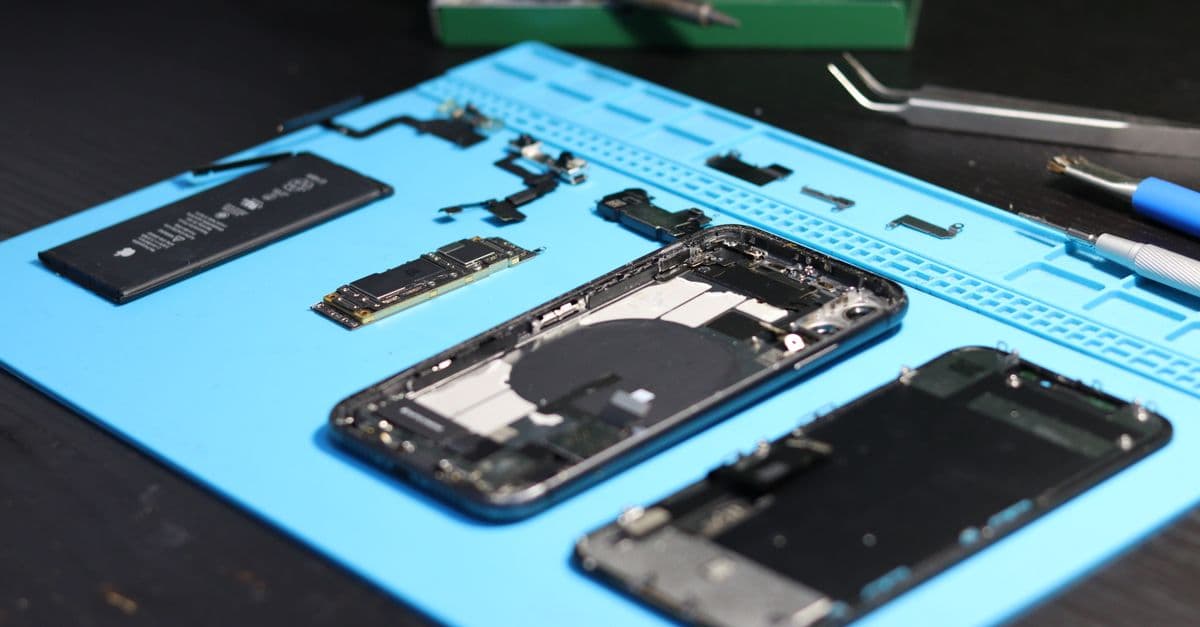
A photo can be useful at intake, when answering a question, or at handover: it can show visible condition, damage, or the scope of completed work. It can also capture more than intended – an unlocked screen, an address on a delivery note, or somebody in the background. A good photo routine therefore starts before the camera: what specific evidence does this work order need?
For businesses in the EU, the General Data Protection Regulation is the shared framework. Article 5 includes purpose limitation, data minimisation and storage limitation. It does not prescribe the handling of every individual repair photo, but it is a useful test: the image, its purpose, access and deletion decision should fit together.
Set the purpose before taking the picture
A work order rarely needs a general photo collection. Usually one image with a defined reason is enough.
| Situation | Useful framing | Leave out |
|---|---|---|
| damage at intake | affected edge, casing or component | customer, ID, open screen |
| technical query | relevant connector or fault area | lists of other devices on the bench |
| handover | visible completed work | names on packaging or workshop schedules |
Take a moment to check the frame: lock or cover the device, turn paperwork over, clear the background, and capture only the relevant area. For a phone, that can mean not photographing the display. For a bicycle or appliance, a close-up may be sufficient instead of documenting the whole customer situation.
A small record makes the image understandable
A consistent entry helps prevent photos from sitting in personal galleries or chat threads without context. It can be short:
- work-order number or unique reference
- reason for the image
- view or component captured
- role of the person taking it and time
- permitted access plus planned review or deletion point
The image belongs with the work order, not on a private phone. Where an external repairer, insurer or manufacturer is involved, decide before sharing which crop is needed, who may receive it, and which agreed channel will be used.
Keep cross-border work understandable
Germany, Austria, France, Spain, Czechia, Croatia and Slovenia share the EU framework for data protection, but contracts, retention reasons and sector practice can differ. For teams in Türkiye, the KVKK is a relevant official starting point; EU rules do not apply there directly. A cross-border job should therefore not copy a blanket retention period from another country. Document the purpose, check the contract and local requirements, and keep the process intelligible to everyone involved.
Even an internal photo may involve personal data if a person or identifying information is visible. This article is not legal advice. Its practical aim is to make a useful image less likely to become unnecessary data collection.
The best evidence is often the smallest sufficient one: a clear crop, filed with the order, and unavailable once the documented purpose no longer calls for it.
Keep reading

A separate AI phone agent or an integrated one? The comparison for workshops
Specialised AI phone agents with per-minute pricing versus a phone assistant that knows your job data: cost logic, limits, combining both — plus the question to settle first.
Read article
Bike retail software or workshop software? A comparison for two-wheel businesses
Classic two-wheel retail software and cloud-based workshop software compared: pricing logic, installation, repair jobs, POS, VeloConnect and e-invoicing — plus a practical guide to switching.
Read article
Modular ERP toolkit or industry solution? Why workshops often buy more work with a toolkit
Modular ERP toolkits and industry software compared: per-user pricing, implementation effort, POS and fiscal compliance, repair jobs and customer communication — with a clear recommendation per business type.
Read articleReady for less paperwork?
Start for free or get advice with no obligation. We set everything up — you carry on with the repairs.
14-day free trial · Setup included · Cancel any time